
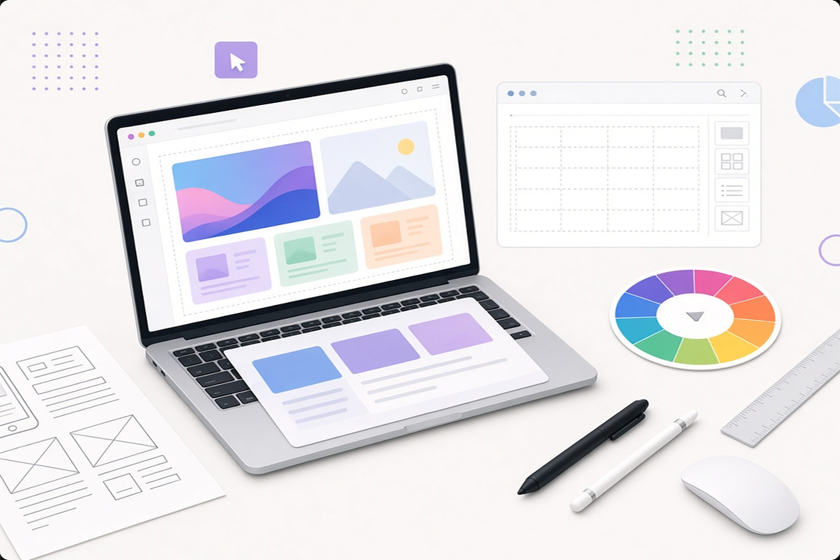
Discover the 10 best tools and resources for web designers in 2026. From Figma and Webflow to fonts, stock photos, and inspiration sites — build a smarter, faster design workflow. In a field that moves as quickly as web design, the right tools don’t just save time — they shape the quality of your work, the smoothness of collaboration, and the final experience users have with a site.
Whether you’re a freelancer, part of a product team, or building sites for clients, a focused toolkit helps you move from idea to polished result with less friction.
Below is a practical, up-to-date list of the 10 most valuable tools and resources for web designers. These cover design and prototyping, production websites, visual assets, and ongoing inspiration.
Figma — The Collaborative Design Standard
Figma has become the default workspace for modern UI and UX design. Its browser-based platform supports wireframing, high-fidelity design, interactive prototyping, and design systems in one place. Real-time collaboration lets multiple people work in the same file, while features like components, variables, modes, and Dev Mode streamline handoff to developers.
Most designers start with the generous free plan and move to paid seats only when team features or advanced usage become necessary. The extensive plugin ecosystem and community libraries further reduce the need to build everything from scratch.
Webflow — Design Meets Production
Webflow bridges the gap between visual design and a live website. Designers can create responsive layouts, interactions, and content structures with precise control, then publish production-ready sites complete with CMS capabilities and hosting. It is especially strong for marketing sites, portfolios, and projects that need both design fidelity and functional flexibility without heavy custom coding.
A free staging plan lets you experiment before committing to a paid site plan.
Adobe Creative Cloud — Professional Graphics Suite
While Figma handles interface work exceptionally well, complex photo editing, detailed illustration, and specialized graphic tasks still benefit from Photoshop and Illustrator. These tools remain industry standards for asset creation, brand work, and high-end visual production. Many designers maintain an Adobe subscription alongside their primary UI tool for the projects that require it.
Framer — Fast, Interactive Web Experiences
Framer excels at turning designs into interactive, high-performance websites and prototypes. It is particularly useful for landing pages, marketing sites, and projects where motion and interaction need to feel close to the final product. The platform balances design freedom with relatively straightforward publishing, making it a strong choice when speed and polish matter.
Coolors –Effortless Color Palette Generation
Choosing cohesive colors is faster and more consistent with a dedicated tool. Coolors lets designers generate, browse, lock, and export palettes in seconds. It is simple enough for quick exploration yet flexible enough to support established brand guidelines. Many designers keep it open alongside Figma for rapid iteration on color systems.
Google Fonts — Reliable, Free Typography
Typography is one of the strongest signals of design quality. Google Fonts provides a large library of well-designed, web-optimized typefaces that are free for commercial use. Integration is straightforward whether you link the fonts or self-host them, and the selection covers everything from clean sans-serifs to distinctive display faces. For most projects, it removes the need to license commercial fonts.
Unsplash and Pexels — High-Quality Stock Photography
Professional photography elevates nearly every website. Unsplash and Pexels offer large collections of high-resolution images that can be used freely for commercial projects. Unsplash is widely regarded for its clean, contemporary aesthetic, while Pexels provides a complementary library that includes video. Both save significant time and budget compared with traditional stock services.
Dribbble — Daily UI and UX Inspiration
Inspiration remains essential for avoiding repetitive solutions and staying aware of current trends. Dribbble is one of the most active communities for interface design, interaction concepts, and portfolio work. Browsing regularly helps designers spot patterns, evaluate trends critically, and collect references for their own projects.
Icon Libraries — Font Awesome, Flaticon, IconScout, and The Noun Project
Consistent, scalable icons improve both usability and visual polish. Font Awesome remains a classic choice for web projects. Flaticon and IconScout offer extensive searchable libraries of editable vector icons, while The Noun Project is useful for concept-driven or more unique symbols. Most designers keep at least one primary icon source bookmarked and use Figma plugins to insert them directly.
Awwwards and Behance — High-Level Design Reference
For deeper study of exceptional work, Awwwards showcases award-winning websites with strong attention to craft, motion, and innovation. Behance complements it with detailed project case studies and creative process documentation. Together they serve as valuable references when you need to move beyond surface-level trends and examine how high-quality design is executed.
Building an Effective Toolkit
Most web designers do not need every tool on this list at full capacity. A practical core stack often looks like this:
-
- Figma for design, prototyping, and systems
- Webflow or Framer for turning designs into live sites
- Google Fonts + Coolors for typography and color
- Unsplash/Pexels for imagery
- An icon library and occasional Adobe work for specialized assets
Free tiers and open alternatives (such as Penpot for design) make it possible to start lean and expand only when specific projects or team needs require it.
Final Thoughts
The best tools are the ones that remove friction rather than add complexity. Figma, Webflow or Framer, and a small set of high-quality free resources cover the majority of what professional web designers need day to day. Pair them with consistent habits—reviewing strong work on Dribbble or Awwwards, maintaining clean design systems, and testing across devices — and the quality of your output improves steadily.
Start with the tools that match your current workflow, then refine the stack as your projects and collaboration style evolve. The right combination will feel less like a collection of software and more like a reliable extension of your design process.



Leave a reply
You must be logged in to post a comment.